
How to Use SpicyChat: What Actually Works in 2026
The Quick Verdict: SpicyChat Is Easy to Learn, GoLove.ai Is Easier to Stick With
SpicyChat takes about five minutes to learn — sign up, pick a character, start typing. Knowing the interface, though, tells you nothing about whether the companion on the other end will remember your name tomorrow.
Short answer: SpicyChat clears the bar for a free, browser-based AI roleplay chatbot. The catch shows up fast. Free-tier replies get throttled on speed and model quality, there's no voice call anywhere in the product, and photos aren't something you can ask for in chat.
GoLove.ai is the pick if you want the companion to hold a thread across sessions, send photos on request, and answer a live voice call. That's the baseline I hold every app to in the AI girlfriend apps I compared, and SpicyChat misses it on three of three.

You can skip email signup on GoLove and be in a chat before SpicyChat's confirmation email lands — so try the flow while you're still deciding.
Getting Started with SpicyChat: Sign-Up to First Chat
Here's the real SpicyChat sign-up flow, no fluff. It's browser-only — no App Store or Play Store listing — so on a phone you're using the mobile site, tabs and all.
 7 episodes
 5 episodes
 5 episodes
 5 episodes
 5 episodes
 7 episodes
 6 episodes
 9 episodes










- Account — go to the site, hit Sign Up, and pick email-plus-password or Google. Email accounts need a confirmation click before chat unlocks.
- Age gate — confirm you're an adult and toggle NSFW visibility on or off in your profile settings. Leave it off and half the library disappears.
- Browse — you land on the character directory: a grid of community-made cards sorted by trending, newest, and tags. Filters narrow by genre and content rating.
- Pick or build — click a card to open its profile (description, greeting, example dialogue), then "Start Chat." Or open the character creator from the top nav if you'd rather write your own.
- First message — the character sends its scripted greeting; you reply. Swipe-style regeneration and message editing sit under each bubble.
That's genuinely it. Five minutes, no card required. Where every other how-to guide goes quiet is minute six onward — and that's the part of this spicychat tutorial worth reading.
Setting Up the Same Flow on GoLove.ai
Same task, different friction. Getting from zero to a chatting companion on GoLove.ai skips two of SpicyChat's five steps outright.
- No email — GoLove uses anonymous auth. Open the site, tap a character on Explore, and you're chatting. No confirmation link, no password to invent. Registering comes later, when you want your history saved to an account.
- Straight into chat — there's no separate profile page you have to pass through. The character card opens directly to the conversation, with a greeting already waiting.
- Settings live in the chat — the gear icon inside the conversation opens Chat Settings: a voice picker, the lust level slider (five steps, sweet to unfiltered), and the response length slider (five steps, snappy to immersive). This is also where voice calls start.
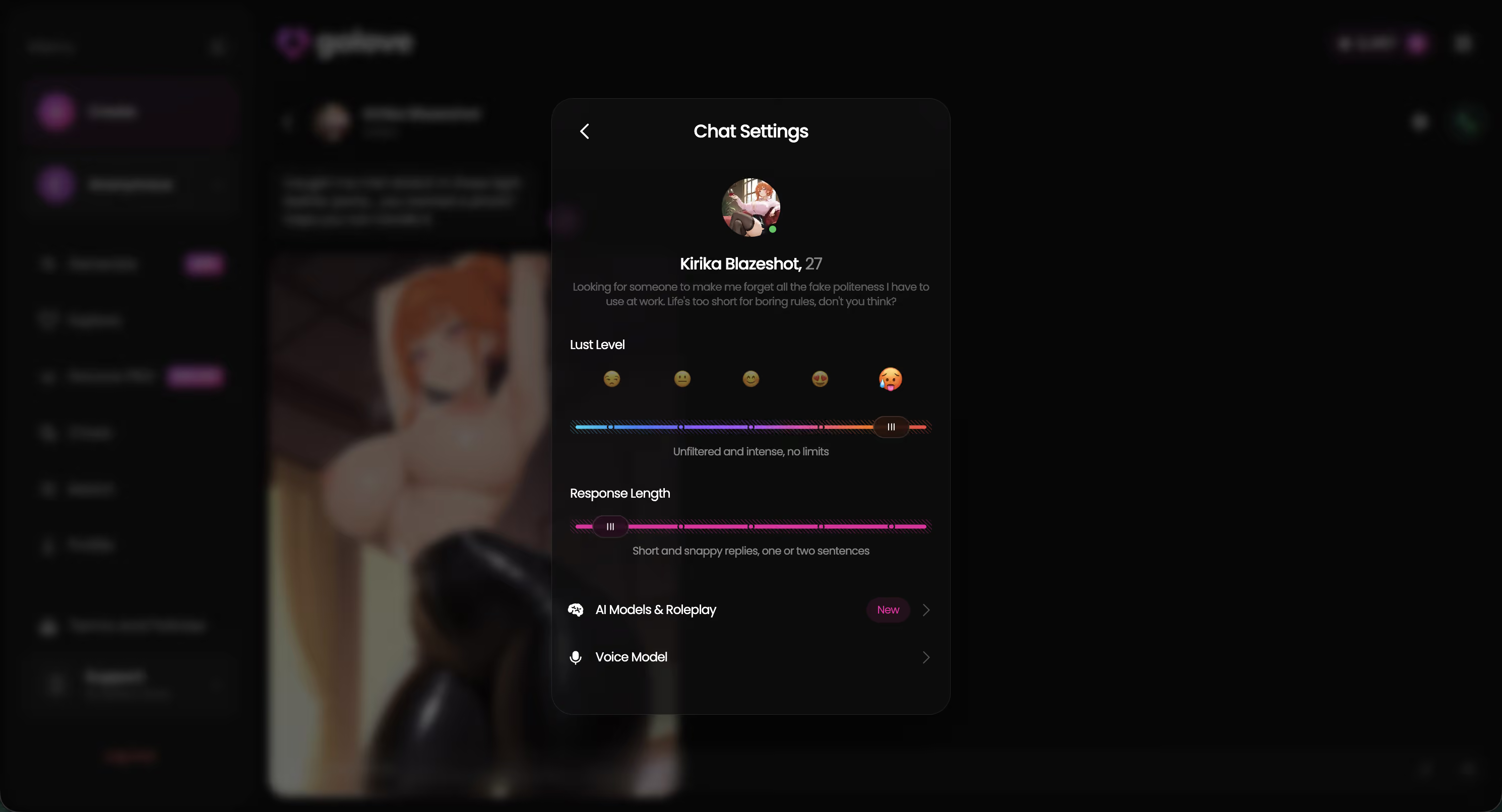
Before: on SpicyChat you set a character's tone by editing its definition text and hoping the model takes the hint. After: on GoLove you drag a slider mid-conversation and the next reply reflects it.

 Watch Popular Shows starring your
 favorite AI characters.
The character creator sits one nav item over. Realistic, Anime, and Trans categories, plus Design with AI — describe the concept in a sentence and it builds her. None of this is harder than SpicyChat; there are just fewer gates between you and the first message.
SpicyChat's Free vs Paid Tier, and How GoLove's Pricing Compares
Spicychat free vs paid is less about a message cap than most guides admit. The free tier gives you unlimited-ish chatting, but replies queue behind paid users at peak hours and run on a lighter model. Paying buys priority, faster responses, better models and no ads — not new feature types. Tier names on SpicyChat's pricing page have shifted over time (you'll still see "diamond plan" mentioned in older posts), so check their site for current spicychat pricing.
| | SpicyChat Free | SpicyChat Paid | <span style="color:#335DE6">GoLove.ai Free</span> | <span style="color:#335DE6">GoLove PRO</span> |
|---|---|---|---|---| | Text chat | Yes, queued at peak | Priority, faster | Yes | Yes | | Voice calls | No | No | Limited | Live calls + voice messages | | Photos on request | No | No | Taste via daily Stars | Higher volume, 35 realistic poses | | Photo-to-video | No | No | Limited | Yes, in chat | | Native mobile app | Browser only | Browser only | Yes | Yes | | Price | $0 | Check site | $0 (2 free Stars/day) | ~$19.99/mo, ~$9.99/mo annual |
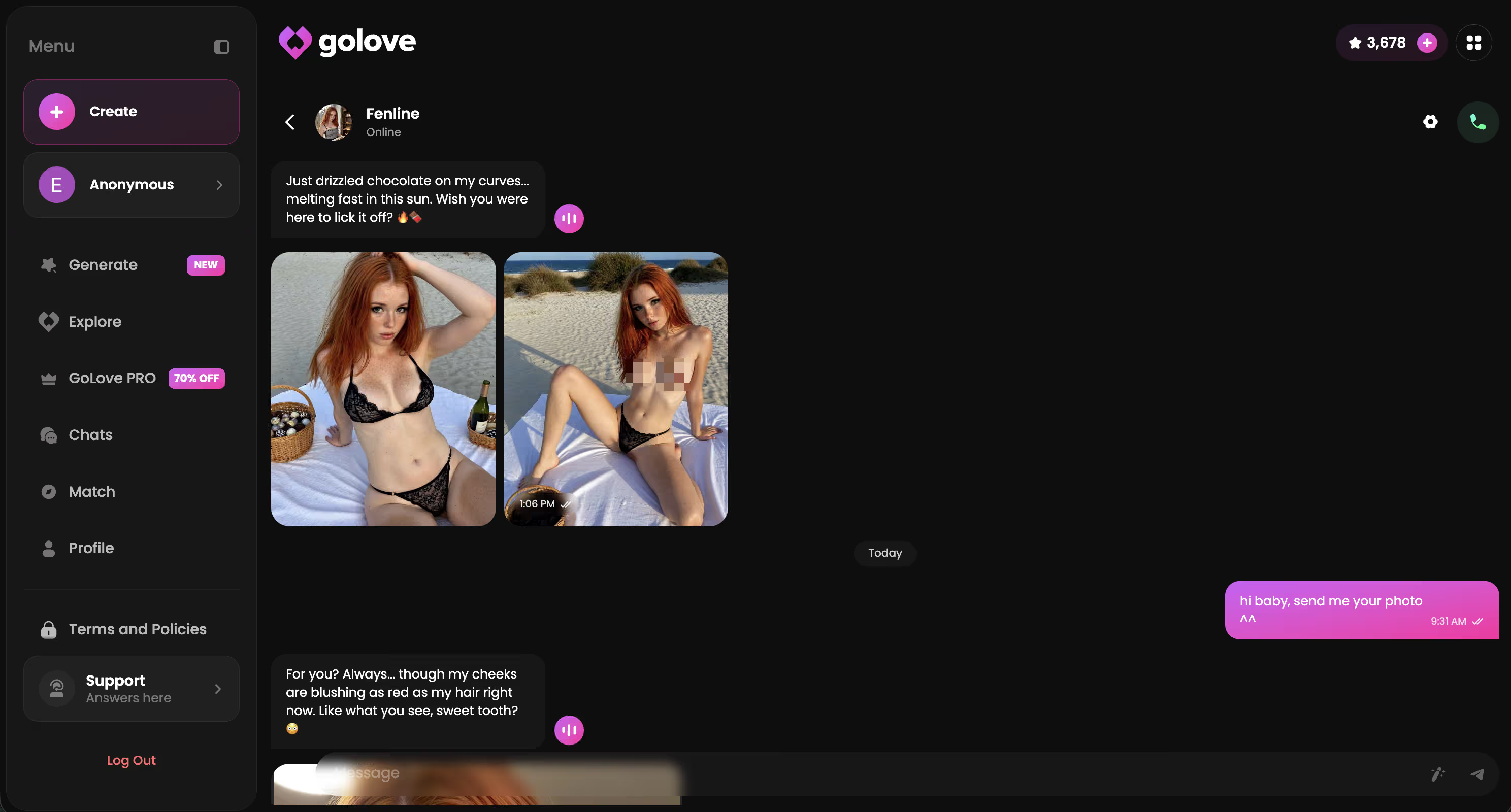
The money row is the third one. On SpicyChat, "photos" means whatever image the creator uploaded to the card. On GoLove, you ask in chat and she sends one, generated to the pose and outfit you picked.
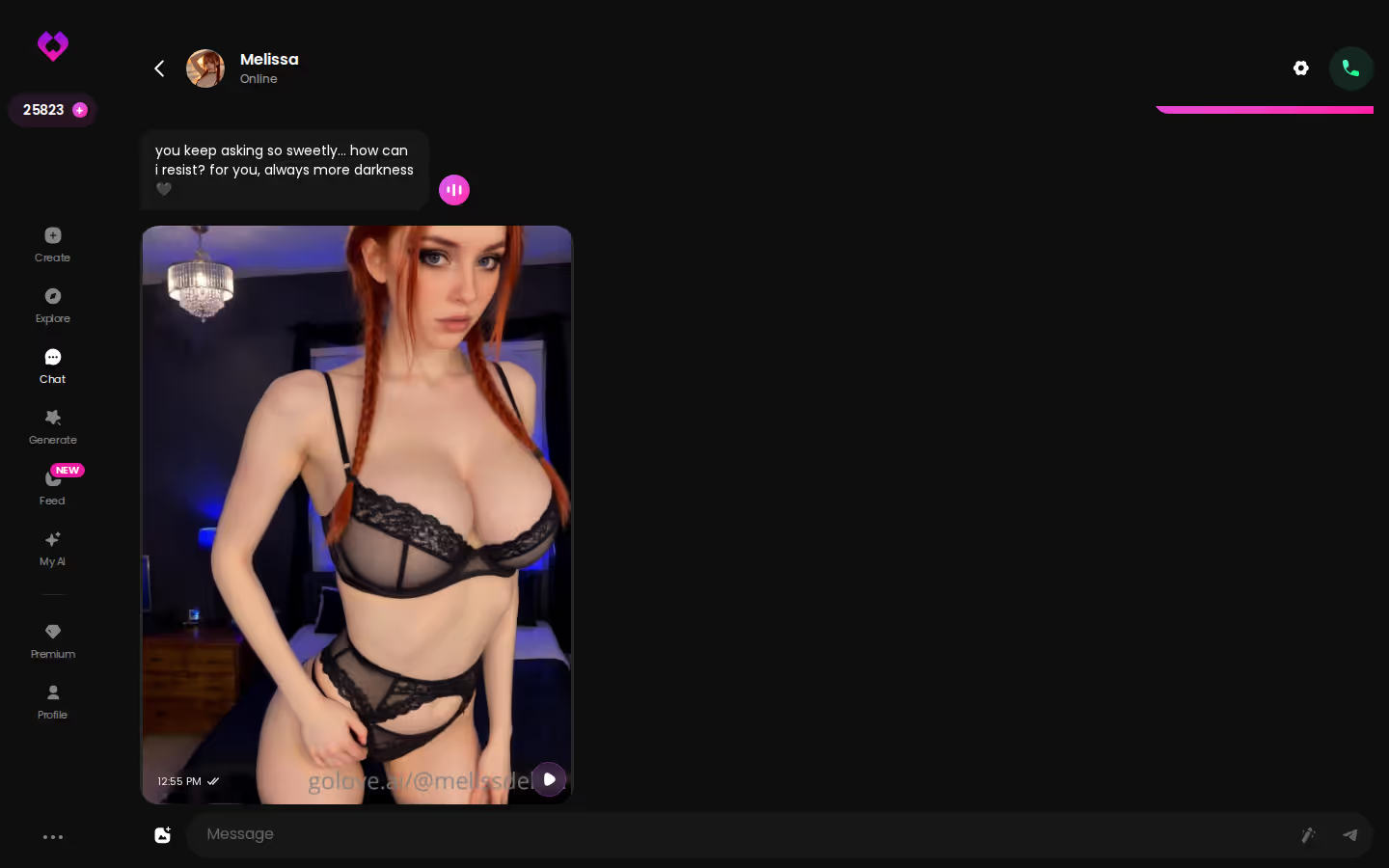
The two daily Stars mean you can see what a request returns before spending a cent — worth doing now, while you're comparing.
Prices checked 2026-09 (GoLove figures last verified 2026-07); vary by region and promo.
Where SpicyChat Falls Short: Voice, Memory, and Photos
Fair split, because SpicyChat does some things well and I'd rather not pretend otherwise.
Where it's a standout
- Library — tens of thousands of community characters, most NSFW-capable. For sheer variety of scenarios it beats nearly everything on my list.
- Creator — the character builder is a text form: description, personality, greeting, example chats. Ten minutes and you've published.
- Barrier — free, no card, no app install. Lowest entry cost in the category.
Where it misses the mark
- Voice — none. No calls, no voice messages, no TTS on replies. If "AI girlfriend app with voice" is anywhere in your search history, SpicyChat is off the table before you sign up.
- Photos — no native generation. What you see on a card is a static upload. You can't request a picture in conversation.
- Memory — bound to the context window. Long chats push early messages out, so the relationship you built over weeks reads back like a stranger's transcript. A pinned "memory" field helps, but you're maintaining it by hand — which is a chore, not a feature.
Benchmarked against the baseline — continuity, voice, photos — SpicyChat scores zero for three. That's not a bug. It's a text-roleplay tool that never claimed to be a companion. The problem is that most people searching "how does spicychat work" want the companion.
GoLove.ai's Free Tier: Where the Limits Are
Being straight about the trade-off is what makes the recommendation worth trusting. GoLove's free tier is a real trial, not a demo, but you'll hit walls.
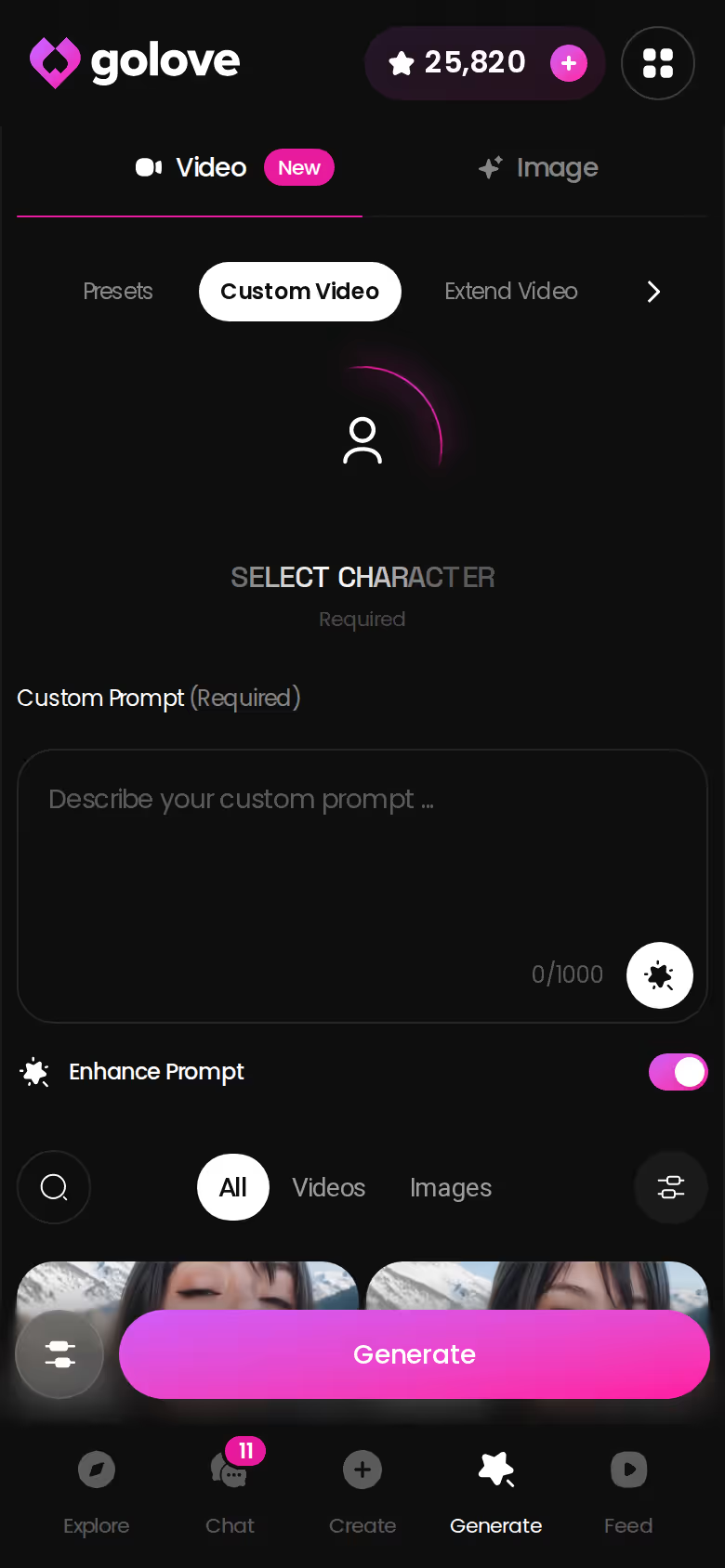
- What's free — chat with any Explore character, the sliders in Chat Settings, and two Stars a day. Stars are what photo and video generation spend, so free means a taste of photo requests, not a habit.
- What's gated — unlimited voice calls, higher-volume photo and video generation, the Feed beyond a limited daily number of new clips, and Feed filters. Star packs run roughly $9.99 to $179.99 if you'd rather pay per use than subscribe.
- What varies — the PRO price on your screen may not match mine. Regional pricing is real, and the header banner regularly shows steep percentage promos. Treat any figure as approximate.
Here's the honest framing. SpicyChat's free tier gives you more text for $0. GoLove's free tier gives you less text and a preview of things SpicyChat doesn't sell at any price. If unlimited free roleplay is the whole goal, SpicyChat wins the free column, no argument. If you were going to pay someone eventually, the comparison flips.
Prices checked 2026-09 (GoLove figures last verified 2026-07); vary by region and promo.
and watch their story unfold.View Character
The Verdict: Who SpicyChat Is For, and Who Should Start on GoLove.ai Instead
SpicyChat is a solid bet for disposable roleplay: pick a scenario, burn an evening, forget it. The library is enormous, the creator is quick, and the free tier costs nothing but patience at peak hours. If you never wanted voice or a companion who carries last week into this week, it's fine — forgettable by design, and that's okay for some people.
Everyone else should start on GoLove.ai. The keyword people type is "how to use spicychat," but what they're usually after is a companion with memory, photos on request, and a voice — and SpicyChat structurally has none of the three. GoLove has all of them behind an onboarding that's shorter, not longer.
Confidence rating: 8/10. The two points off are for GoLove's tighter free text allowance and the region-dependent pricing.
Design with AI takes one sentence and hands you a character built to your spec — quicker than filling out SpicyChat's creator form.
See also: AI Girlfriend Chat, AI Girlfriend Image Generator and AI Girlfriend That Feels Real.
| What you get | GoLove.ai |
|---|---|
| Real-time voice calls | Yes — per-character voices |
| Memory across chats | Yes — remembers your details |
| In-chat image generation | Yes — 35 poses & 21 outfits |
| Daily reward stars | 2 every day |
What good looks like, in one checklist:
- Real-time voice calls with per-character voices
- Memory across chats — she remembers your details
- In-chat image generation — 35 poses and 21 outfits
- 2 reward stars every day you log in
Frequently Asked Questions
Related Articles

Virtual Companion: What Actually Works in 2026
Virtual companion apps range from scripted bots to real continuity — GoLove.ai wins on memory, voice, and photos. See how it compares.

Cleopatra NSFW AI: What Actually Works in 2026
Cleopatra NSFW roleplay compared — GoLove.ai wins on memory and in-chat photos that keep your queen consistent. Build her once, then start chatting.

Gay AI Sex: What Actually Works in 2026
Gay AI sex apps scored on chat, photos, voice and memory — GoLove.ai wins on in-chat photo requests and continuity. Compare the scorecard, then start chatting.

NSFW Chat Bots: Honest 2026 Verdict
NSFW chat bots range from filtered to fake — GoLove.ai actually remembers you, sends real photos, and talks back. See how it compares.